
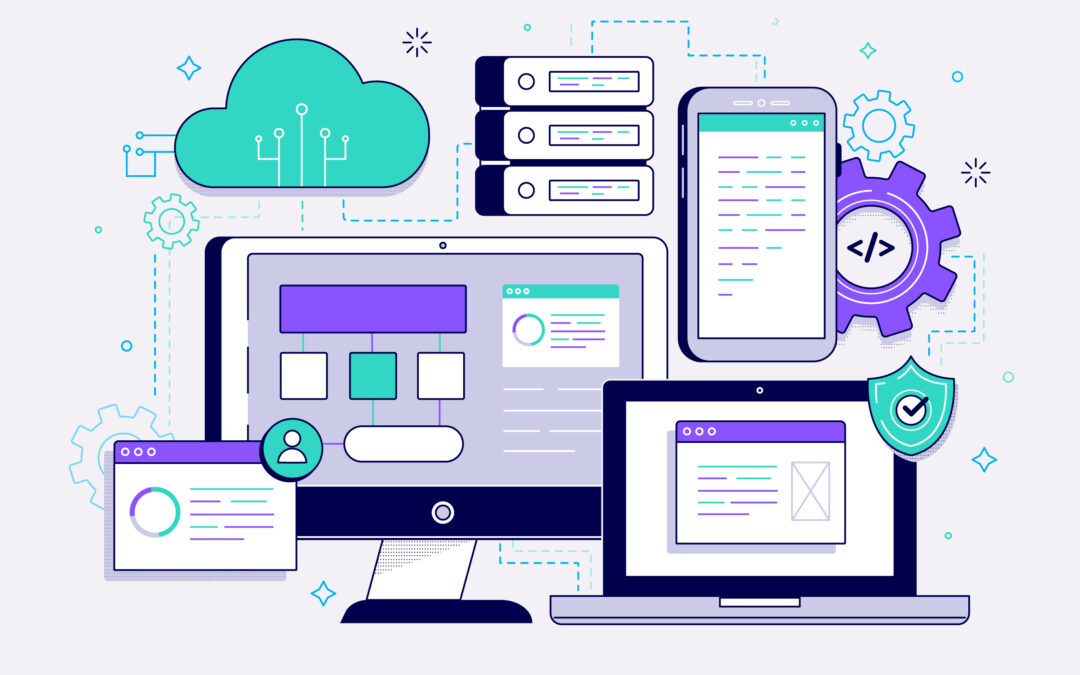
Progressive Web Apps (PWAs) have redefined how users interact with the web. Combining the best of websites and mobile applications, PWAs offer fast load times, offline functionality, push notifications, and app-like experiences without requiring app store downloads.
In 2025, AI enhancements are taking PWAs to the next level, allowing developers to create smarter, more personalized, and adaptive experiences for users.
In this blog, we’ll explore how to build AI-powered PWAs, best practices, and the tools you need to succeed.
1. What Makes a PWA Special?
PWAs bridge the gap between web and native apps. Their main characteristics include:
- Offline Functionality: Users can access content even without an internet connection.
- Push Notifications: Keep users informed with timely updates.
- App-Like Experience: Smooth animations, fast interactions, and responsive design make it feel native.
- Cross-Platform Compatibility: Works on Android, iOS, and desktop browsers.
These features improve user retention and engagement, making PWAs a critical strategy for businesses in 2025.
2. Why AI Improvements Matter
AI amplifies the value of PWAs in multiple ways:
- Personalization: Offer content, products, or features tailored to individual users.
- Predictive Analytics: Optimize workflows or product recommendations by predicting user behavior.
- Adaptive Interfaces: Layouts, themes, or components change dynamically based on interaction patterns.
- Voice and Visual Search: AI-powered search capabilities create a seamless experience.
AI integration makes PWAs smarter, more engaging, and responsive to user needs.
3. Choosing the Right Tech Stack
Building AI-powered PWAs requires a thoughtful tech stack:
- Frontend: React (Next.js), Vue (Nuxt.js), or Angular. Use PWA libraries like Workbox for caching and offline support.
- Backend: Node.js, Python (Django/Flask), or Go for API requests, AI integration, and database handling.
- Databases: PostgreSQL or MongoDB; AI-ready data pipelines enhance analytics.
- AI Tools & APIs: OpenAI, TensorFlow.js, Hugging Face, Google AI for machine learning and NLP.
- Cloud Services: AWS, Azure, GCP for scalable hosting, serverless functions, and AI model deployment.
A well-chosen stack ensures scalability, maintainability, and seamless AI functionalities.
4. Introduce Offline Support and Caching
Offline support is a core PWA feature. AI can enhance it by:
- Predicting the most relevant content or data to cache based on user behavior.
- Preloading frequently used components or pages for faster offline access.
Tools like Workbox manage caching strategies, while AI prioritizes content, improving user experience.
5. Personalization with AI
Personalization fuels engagement:
- Behavior Tracking: Collect data on interactions, session times, and feature usage.
- Recommendation Engines: Suggest articles, products, or features based on past activity.
- Adaptive UI Elements: Modify layouts, colors, or content placement dynamically.
Result: Increased user satisfaction, higher conversions, and improved retention.
6. AI-Powered Search and Navigation
AI enhances search with:
- NLP: Conversational queries for intuitive searching.
- Visual Search: Users can upload images to find similar products or content.
- Predictive Search: Suggests relevant results as users type.
AI-driven search improves usability and speeds up discovery.
7. Performance Optimization with AI
AI boosts performance by:
- Predictive Loading: Preloading resources users are likely to need.
- Network Optimization: Choosing the best CDN or server route to reduce latency.
- Error Detection: Monitoring slow-loading components and recommending fixes.
Faster and smoother PWAs reduce bounce rates and enhance satisfaction.
8. Chatbots and Virtual Assistants
AI chatbots offer:
- 24/7 customer support
- Contextual assistance based on behavior
- Automated FAQ responses
- Seamless escalation to human agents
This improves user experience and lowers support costs.
9. Analytics and Insights
AI-driven PWAs provide actionable insights:
- Predictive Analytics: Anticipate user needs.
- A/B Testing Automation: Test multiple UI/UX variations automatically.
- User Segmentation: Group users by behavior, demographics, or preferences.
These insights enable data-driven improvements and optimizations.
10. Security and Privacy Considerations
AI integration must respect security and privacy:
- Data Encryption: Secure AI-processed data in transit and at rest.
- Anonymization: Protect user identities in AI datasets.
- Fraud Detection: Monitor suspicious activity with AI.
- Compliance: Follow GDPR, CCPA, and other regulations.
Security builds trust, critical for adoption and engagement.
11. Testing and Quality Assurance
AI improves QA with:
- Automated Test Generation: Generate test cases for multiple scenarios.
- UI Testing: Test rendering and layout across devices.
- Performance Testing: Predict bottlenecks under various loads.
AI reduces manual effort and ensures stability at scale.
12. Future-Proofing Your AI-Powered PWA
To keep your PWA relevant:
- Modularize code for easy updates.
- Leverage new AI capabilities through updated APIs.
- Monitor AI performance and user interaction to improve models.
- Plan cross-platform scalability across desktop, mobile, and emerging web standards.
Future-proofing reduces technical debt and ensures maintainability.
13. Conclusion
PWAs are already a game-changer in web and mobile development, and AI enhancements make them even more powerful. By combining offline capabilities, push notifications, performance optimization, and personalization with AI-powered features like predictive analytics, adaptive interfaces, and intelligent search, developers can deliver fast, smart, and engaging apps.
Key takeaway: In 2025, developers who embrace AI in their PWA strategy will deliver superior experiences and gain a competitive edge in a crowded digital landscape.