
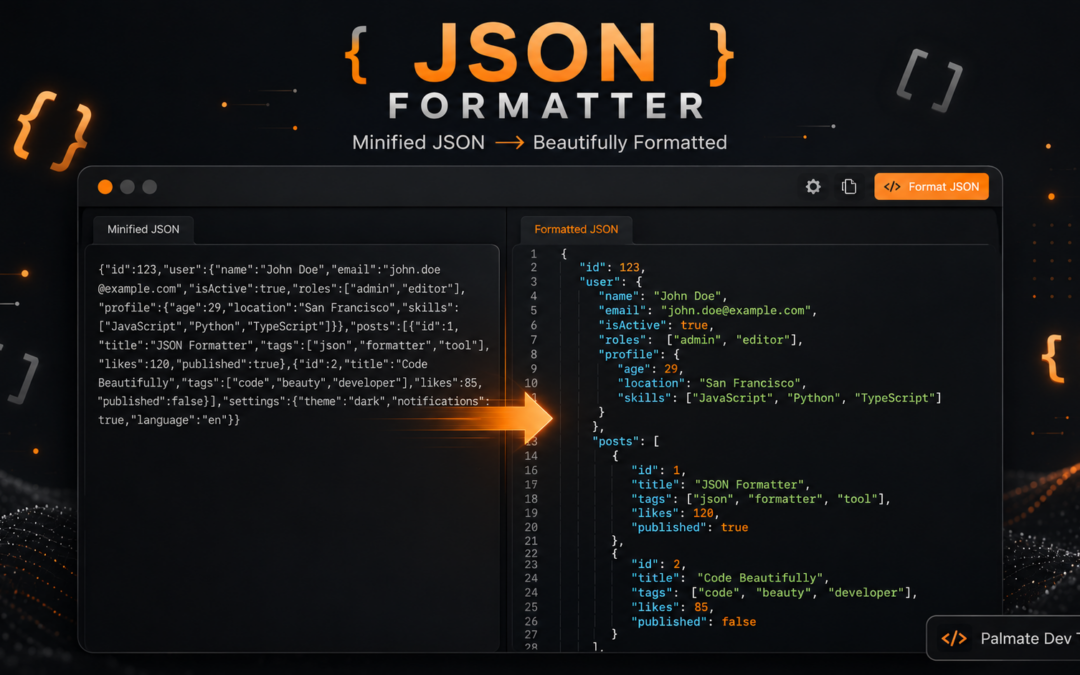
Palmate JSON Formatter & Validator – Free Online Tool to Format, Validate & Minify JSON
JSON is the most common data format used by developers today. APIs, configuration files, mobile apps, webhooks, and microservices all rely on it. But raw or minified JSON is often hard to read, and a single small mistake can break everything.
Palmate Solutions offers a free, simple, and private JSON Formatter & Validator that helps you clean, check, and compress JSON data in seconds. The tool works completely in your browser, so your data never leaves your computer.
Try the tool here:
JSON Formatter & Validator
About the Tool
The Palmate JSON Formatter & Validator is a free online utility designed for developers, testers, and anyone who works with JSON data. It helps you:
- Make messy or minified JSON easy to read
- Check if the JSON is valid
- Find exact errors when something is wrong
- Compress JSON for smaller size
- Work safely without uploading any data
The tool is part of Palmate Dev Tools, created by Palmate Solutions — a technology company that builds practical IT solutions and free developer utilities.
Key points about the tool:
- 100% free to use
- No registration or login required
- No ads or interruptions
- Works entirely in your browser
- Supports custom indentation (spaces or tabs)
- Gives clear error messages
- Safe for sensitive data like API keys and configs
Why You Need a Good JSON Formatter
JSON looks simple, but real-world data is often difficult to handle. Here are the common problems developers face:
- Minified JSON comes as one long line that is almost impossible to read
- Deeply nested objects make it hard to find specific values
- Small syntax mistakes (missing comma, wrong quote, extra bracket) cause failures
- Sharing unformatted JSON with teammates creates confusion
- Online tools that send data to servers create privacy and security risks
A reliable formatter solves all these issues quickly.
Benefits of using a proper JSON tool:
- Faster debugging
- Clearer understanding of data structure
- Fewer mistakes when editing
- Better collaboration with team members
- Safer handling of sensitive information
How the Tool Works
The Palmate JSON Formatter is designed to be simple and fast. Here is exactly how it works:
- Open the tool in your browser
- Paste or type your JSON data
- Choose your preferred indentation style
- Click one of the action buttons
- Get instant results
Available actions:
- Format JSON – Adds proper indentation and line breaks so the data becomes easy to read
- Minify JSON – Removes all extra spaces and line breaks to make the file as small as possible
- Validate JSON – Checks if the JSON is correct and shows clear error messages if something is wrong
- Clear – Removes everything so you can start fresh
All processing happens inside your browser using the built-in JavaScript engine. Nothing is sent to any server. This means:
- Your data stays private
- There is no risk of leaks
- The tool works even with sensitive information
Step-by-Step Guide to Using the Tool
Follow these simple steps to get the best results:
Step 1: Open the tool
Go to https://palmatesolutions.com/tools/json-formatter/
Step 2: Paste your JSON
Copy the JSON from your API response, file, or code and paste it into the input box.
Step 3: Choose indentation
Select how many spaces or tabs you want for formatting. Most developers prefer 2 spaces or 4 spaces.
Step 4: Format the JSON
Click the Format JSON button. The tool will instantly show a clean, indented version.
Step 5: Fix errors if needed
If the JSON is invalid, the tool will show the exact problem. Correct it and format again.
Step 6: Minify when ready
Once everything looks good, click Minify JSON if you need a compact version for production use.
Step 7: Copy the result
Select the output and copy it for use in your project, documentation, or next step.
This entire process usually takes less than 10 seconds.
Main Features Explained
Here is a clear breakdown of what the tool offers:
1. Format / Beautify
- Converts single-line or messy JSON into clean structure
- Adds proper line breaks and indentation
- Makes nested objects easy to understand
- Supports custom tab or space settings
2. Minify
- Removes all unnecessary whitespace
- Creates the smallest possible valid JSON
- Useful for APIs, storage, and performance
3. Validate
- Checks syntax against official JSON rules
- Shows clear error messages
- Helps you find problems like:
- Missing commas
- Unmatched brackets
- Wrong quotes
- Invalid values
4. Privacy-First Design
- Runs 100% in the browser
- No data is uploaded
- Safe for production data, tokens, and internal configs
5. Clean and Simple Interface
- No clutter
- Fast response
- Easy to use on any device
Common Uses of the JSON Formatter
Developers and teams use this tool in many real situations. Here are the most common ones:
1. Debugging API Responses
When an API returns a large minified response, formatting it helps you quickly understand the structure and find the data you need.
2. Checking Configuration Files
Many applications use JSON for settings. Formatting and validating these files prevents startup errors.
3. Preparing Data for Documentation
Clean JSON looks professional in README files, API docs, and technical articles.
4. Editing Nested Data
Deeply nested objects become much easier to edit after proper formatting.
5. Reducing File Size
Minifying JSON before sending it over the network or storing it saves bandwidth and space.
6. Learning and Teaching
Beginners can paste example JSON and see how proper structure looks.
7. Team Collaboration
Sharing formatted JSON in chat or code reviews makes discussions clearer and faster.
8. Validating Webhook Payloads
When receiving data from external services, quick validation helps catch issues early.
Common JSON Mistakes and How the Tool Helps
Even experienced developers make small mistakes. Here are the most frequent ones and how the tool helps:
- Trailing commas
Extra comma after the last item. The validator clearly shows the location. - Single quotes instead of double quotes
JSON only allows double quotes. The tool detects this instantly. - Missing or extra brackets
Unmatched{ }or[ ]are highlighted through error messages. - Unescaped special characters
New lines or quotes inside strings cause problems. Validation catches them. - Incorrect boolean or null values
WritingTrueinstead oftrueorNullinstead ofnullis detected. - Comments in JSON
Standard JSON does not support comments. The tool will flag this.
By showing clear errors, the tool saves a lot of time that would otherwise be spent searching manually.
Why Privacy Matters So Much
Many free online JSON tools process data on their servers. This creates serious risks:
- Sensitive data can be logged
- API keys and passwords can be exposed
- Companies can face compliance issues
- Past incidents have shown real leaks of credentials and internal data
The Palmate tool avoids all these problems because:
- Processing happens only in your browser
- No data is sent anywhere
- Nothing is stored
- You stay in full control
This makes it safe even when working with production-like data.
Best Practices When Working with JSON
To get the most out of the tool and avoid problems, follow these simple practices:
- Always format JSON before reading or editing it
- Validate after making any changes
- Minify only when you are ready for production
- Prefer 2-space or 4-space indentation for consistency
- Never paste real production secrets into tools that upload data
- Keep a browser tab with the formatter open during development
- Use the tool for both small and large JSON files
These habits improve speed, reduce errors, and keep your data safer.
Who Should Use This Tool
The Palmate JSON Formatter is useful for many people:
- Backend developers working with APIs
- Frontend developers handling responses
- QA and test engineers checking data
- DevOps engineers managing configuration files
- Students learning about data formats
- Technical writers preparing documentation
- Anyone who occasionally needs to clean or check JSON
No special setup or technical knowledge is required beyond basic copy and paste.
About Palmate Solutions
Palmate Solutions is a technology company focused on delivering practical IT services and digital solutions. The company works in areas such as:
- IT consulting
- Custom software development
- Website development
- Cloud services
- Digital automation
- Ongoing technical support
As part of its commitment to the developer community, Palmate also provides free online tools under Palmate Dev Tools. The JSON Formatter & Validator is one of these utilities, built to be simple, reliable, and privacy-focused.
Final Thoughts
Working with JSON does not have to be slow or risky. A good formatter and validator can save time every day, reduce errors, and protect sensitive data.
The Palmate JSON Formatter & Validator gives you everything you need in one clean place:
- Fast formatting
- Clear validation
- Easy minification
- Complete privacy
- Zero cost
Whether you are debugging an API, cleaning a configuration file, or preparing data for documentation, this tool makes the job easier and safer.
Start using it now:
Click Here
Clean JSON. Clear errors. Complete privacy.